Quick Start
Note
The only major prerequisite is Java (1.8 minimum, 11 or later recommended) - Any distribution such as Adoptium should work
Download and run the stand-alone RapidWright jar file (rapidwright-<version>-standalone-lin64.jar or rapidwright-<version>-standalone-win64.jar) from the latest RapidWright release on GitHub, or use the commands below to fetch it automatically:
Linux:
wget -O rapidwright-standalone-lin64.jar $(curl -s https://api.github.com/repos/Xilinx/RapidWright/releases/latest | grep -o 'https://[^"]*standalone-lin64\.jar')
java -jar rapidwright-standalone-lin64.jar
Windows (PowerShell):
$url = (Invoke-RestMethod https://api.github.com/repos/Xilinx/RapidWright/releases/latest).assets.browser_download_url | Where-Object { $_ -like '*standalone-win64.jar' }
Invoke-WebRequest $url -OutFile rapidwright-standalone-win64.jar
java -jar rapidwright-standalone-win64.jar
This will start the RapidWright Jython (Python 2 in Java) interpreter with most RapidWright classes loaded. You can test your install by running the following at the prompt:
>>> DeviceBrowser.main([])
You should see the GUI come up similar to this screenshot:
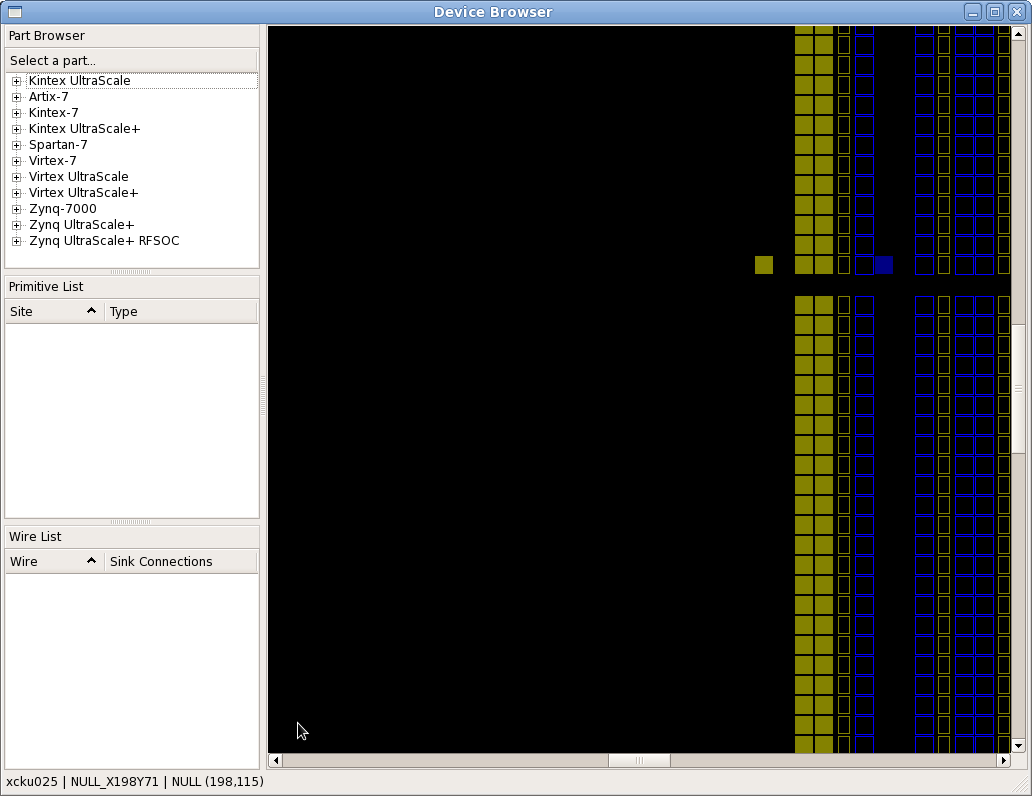
If you have gotten to this point, congrats! Your RapidWright install is correctly configured and you are ready to start experimenting.
Note that the standalone jar comes pre-packaged with a few select devices:
AWS-F1: Virtex UltraScale+ VU9P (xcvu9p)
PYNQ-Z1: Zynq 7020 (xc7z020)
Virtex UltraScale VU440 (xcvu440)
Additional devices are downloaded over the Internet on demand when the code attempts to load them. See RapidWright Data Files for more details.